
DIVIS TIP OF THE MONTH
User administration in CargoVIS & ParcelVIS: Create a new role
Bordesholm, October 4, 2021
The user administration in CargoVIS consists of four areas:
- Global settings (for password settings and complexity requirements)
- Users
- Configurations
You can learn how to create new users in one of our earlier tips of the month.
The combination of a user and an assigned role can be selected when adding a configuration.
Today we show you how to create a new role.
Simplified assignment of rights with roles
Thanks to roles, user rights do not have to be set for each user individually in the CargoVIS and ParcelVIS software. Each guideline contains a fixed selection of user rights and restrictions. With the help of the role, these bundled rights configurations can be applied to an entire user group. Each user group in the system (e.g. administrator, gatekeeper) can have its own role with its own user rights.
New users only need to be assigned to the appropriate group for the assignment of rights. Changes to user rights can be made for all users in a group via their role.
The user rights in a role refer primarily to the possible views and additional functions that this group is allowed to use, but also to possible rights restrictions for investigations, export or administration.
How to create a new role in CargoVIS or ParcelVIS
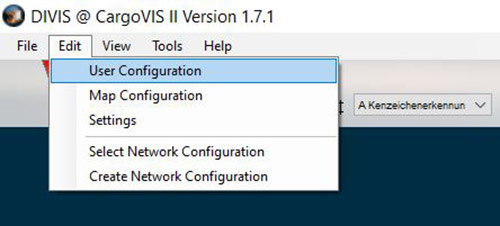
Click on “Edit” in the menu bar and then select the item “User administration”.
Click on "Add role" in the dialogue window.
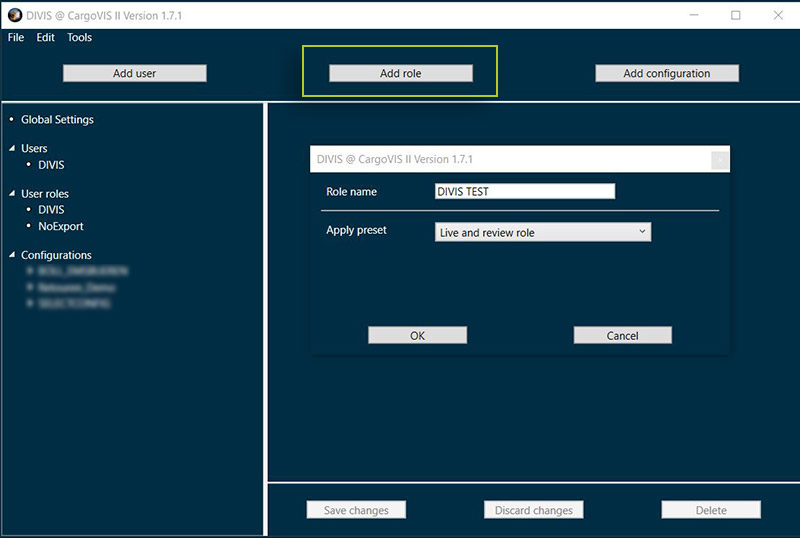
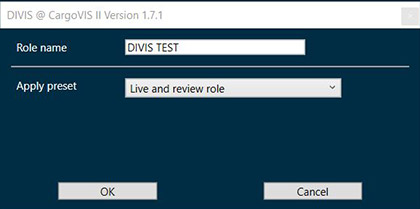
Now the new role can be created with the following information:
Assign role name
Apply preset
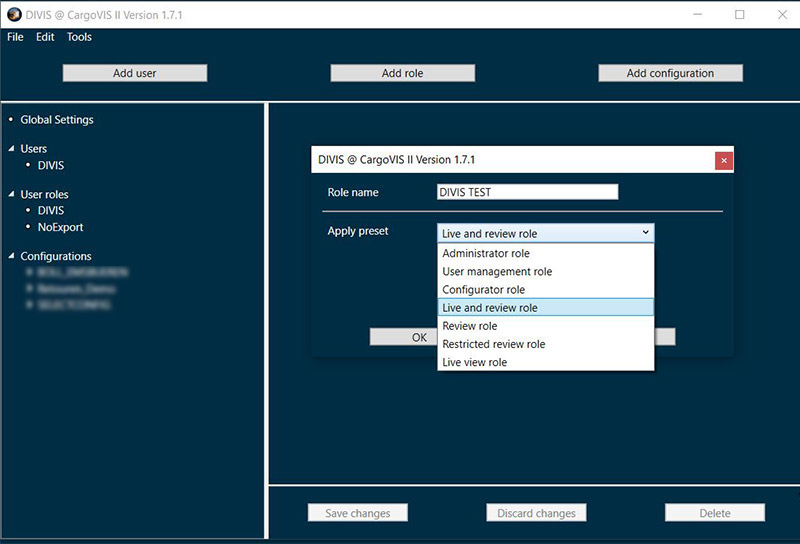
Presets
Presets are pre-configured sets of rights for different user roles or areas in the software.
All necessary rights are already set here, nothing more needs to be configured when using a preset. However, it is also possible to customise the presets by going through the configuration dialogue and making your own settings.
The following presets are available: Administrator role, User management role, Configurator role, Live and review role, Review role, Restricted review role, Live view role.
A click on "Ok" creates the role and the desired options can now be specified via checkboxes.
Settings in the dialogue window of a new role
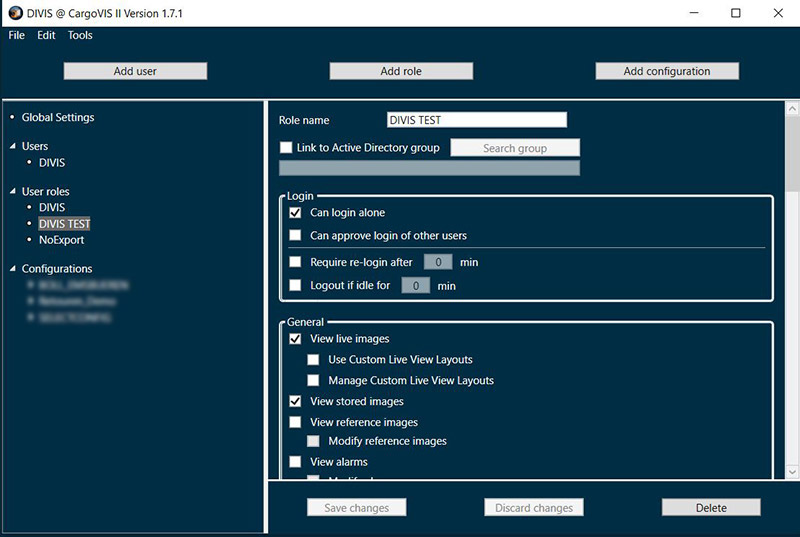
"Link to Active Directory Group"
With this function, the DIVIS user database of the CargoVIS and ParcelVIS software can be linked to your Active Directory in terms of users, roles and camera access lists. This way, this particular role can be linked to a particular group. No users need to be created in the DIVIS user database for members of these groups. This saves time. Roles can also be created, customised and changed for these users.
For more information on Active Directory, see this article: Bye bye, password! Accelerated access and other benefits of Active Directory connectivity in CargoVIS and ParcelVIS
Login
Restrictions / Rights (only in CargoVIS)
General
General rights to views / additional functions
Administration Permissions
Image permissions
Review Restrictions
Privacy (Pixel+)
Camera access lists
This permission allows camera access lists to be created and assigned to all or individual users or added for Active Directory groups. The created camera access lists can always be activated/deactivated for the currently selected role. This does not affect other roles.
In addition, the lists can be edited and deleted in this menu.
Once all settings have been made, they are confirmed by clicking on the "Save" button.